
Meta Announces Updates to Advantage+ and Shopping Ads: What Marketers Need to Know
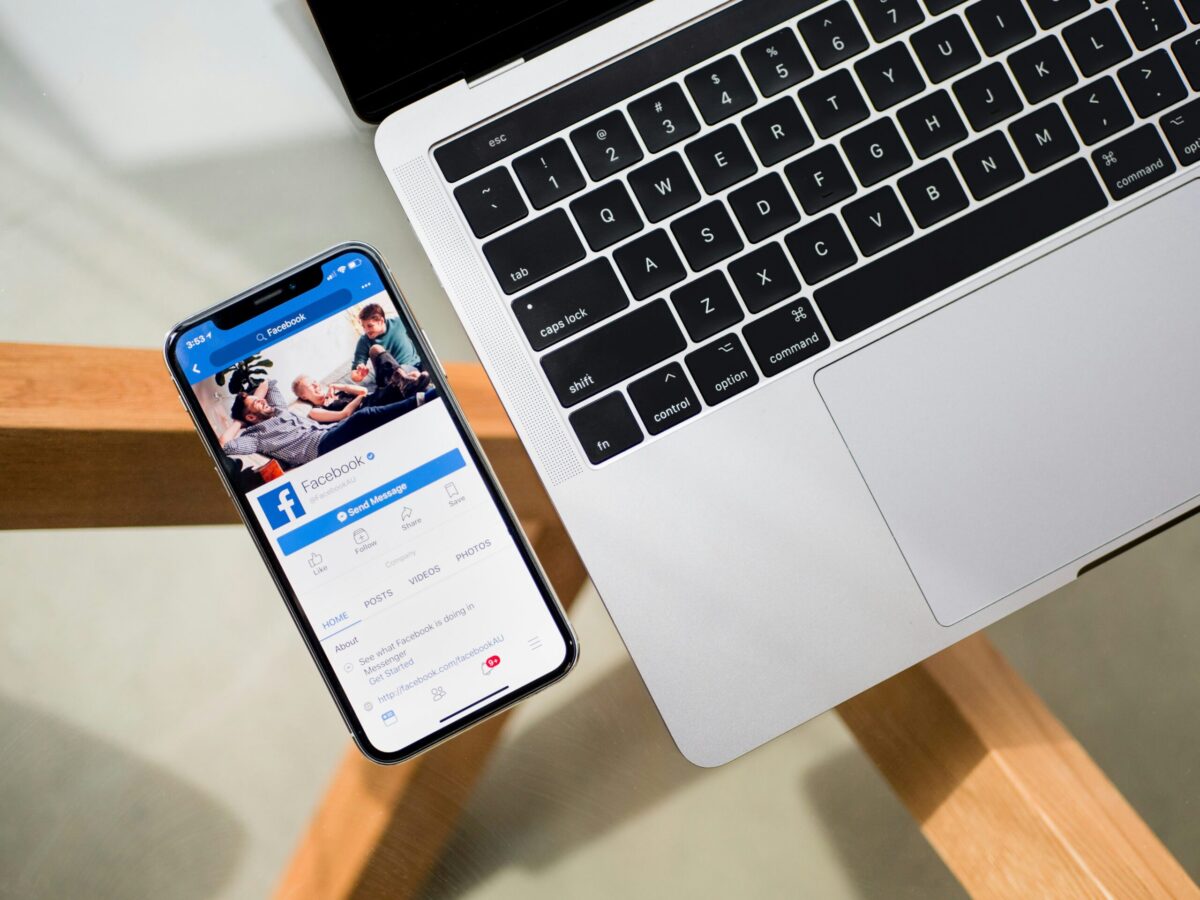
Meta, the parent company of Facebook and Instagram, has recently announced significant updates to its Advantage+ and Shopping Ads features, aiming to enhance the efficiency and effectiveness of digital advertising on its platforms. These updates are designed to provide marketers with better tools to reach their target audiences, optimize ad performance, and ultimately drive higher returns on ad spend (ROAS). Here’s a breakdown of these updates and how they can benefit your marketing strategy. 1. What is Advantage+? Advantage+ is Meta’s AI-driven suite of tools designed to automate and optimize ad delivery. It leverages machine learning to identify the best audiences, creative combinations, and bidding strategies to maximize ad performance. The recent updates to Advantage+ focus on enhancing these capabilities, providing marketers with even more sophisticated tools to fine-tune their campaigns. 2. Enhanced Audience Targeting One of the key updates to Advantage+ is improved audience targeting. Meta’s AI now offers more precise targeting options by analyzing vast user data across its platforms. This means that advertisers can reach more relevant audiences with their ads, reducing wasted ad spend and increasing the likelihood of conversions. Predictive Audience Segmentation: Advantage+ now includes predictive audience segmentation, which identifies potential customers based on their likelihood to engage with specific ads. This allows marketers to focus their efforts on high-value audiences. Cross-Platform Insights: With enhanced data analysis capabilities, Advantage+ can offer insights across Facebook and Instagram, helping advertisers understand where their ads perform best and adjust their strategies accordingly. 3. Dynamic Creative Optimization Meta has also introduced improvements to its dynamic creative optimization within Advantage+. This feature automatically tests ad creatives, such as images, headlines, and calls-to-action, to determine which combinations perform best. Real-Time Creative Adjustments: The updated dynamic creative optimization now makes real-time adjustments based on user interactions, ensuring that the most effective creative elements are shown to the right audiences. Enhanced Ad Personalization: With more robust AI-driven personalization, advertisers can deliver highly relevant ads tailored to individual user preferences, leading to better engagement and higher conversion rates. 4. Updates to Shopping Ads Shopping Ads have become a crucial part of e-commerce strategies on Meta’s platforms, allowing businesses to showcase their products directly to potential buyers. The latest updates to Shopping Ads are designed to streamline the process of creating and managing these ads, making it easier for businesses to connect with their target audiences. Simplified Ad Creation: Meta has introduced a more intuitive interface for creating Shopping Ads. Advertisers can now set up their ads more quickly, with guided steps that simplify linking product catalogs, selecting audiences, and choosing ad formats. Automated Product Recommendations: One of the most exciting updates is the introduction of automated product recommendations. This feature uses AI to suggest products from an advertiser’s catalog that are most likely to appeal to individual users, based on their browsing and purchasing behavior. This can significantly enhance the relevance of Shopping Ads, leading to higher click-through rates (CTR) and sales. 5. Integration with Meta’s E-commerce Ecosystem Meta continues to build out its e-commerce ecosystem, and the updates to Shopping Ads are a part of this larger strategy. By integrating Shopping Ads more deeply with tools like Instagram Shops and Facebook Marketplace, Meta is making it easier for businesses to manage their online stores and ads in one place. Seamless Shopping Experience: Users can now enjoy a more seamless shopping experience across Meta’s platforms, with Shopping Ads leading directly to in-app purchase options. This reduces friction in the buying process and can help increase conversion rates. Enhanced Reporting and Analytics: The updates also include improved reporting and analytics tools, allowing advertisers to gain deeper insights into how their Shopping Ads are performing and where they can make adjustments for better results. 6. What This Means for Marketers The Advantage+ and Shopping Ads updates reflect Meta’s ongoing commitment to providing marketers with cutting-edge tools to optimize their advertising efforts. By leveraging AI and machine learning, Meta is helping businesses deliver more relevant and effective ads, ultimately driving better outcomes. For marketers, these updates mean: Improved Targeting: With more precise audience segmentation, you can reach the right people with the right message at the right time. Higher ROAS: These updates can help you achieve higher returns on your ad spend by optimizing ad creatives and targeting. Streamlined Ad Management: The simplified interfaces and enhanced automation tools make it easier to create, manage, and optimize your ad campaigns, freeing up more time to focus on strategy. Meta’s updates to Advantage+ and Shopping Ads are a significant step forward for advertisers looking to maximize their impact on Facebook and Instagram. By embracing these new features, businesses can improve their targeting, enhance ad performance, and drive more sales through more efficient and effective advertising strategies. As Meta continues to evolve its advertising ecosystem, staying informed about these updates will be key to maintaining a competitive edge.
Google Search Console Launches New Recommendations: What You Need to Know

Google Search Console (GSC) is an indispensable tool for webmasters and SEO professionals, offering insights into how your website performs in Google Search and helping you optimize your content for better visibility and rankings. Recently, Google introduced a new feature to Search Console: Recommendations. This update is designed to provide actionable insights tailored to your website, making enhancing your site’s performance easier than ever. Here’s everything you need to know about Google Search Console’s new Recommendations feature and how it can benefit your SEO strategy. What Are Google Search Console Recommendations? The new Recommendations feature in Google Search Console offers personalized suggestions to improve your website’s search performance. These recommendations are based on the data Google collects about your site, including issues affecting your rankings, user experience, or indexing. The goal is to provide clear, actionable advice that you can implement to optimize your website and achieve better results in search engines. Why Are Recommendations Important? Understanding and acting on the data provided by Google Search Console can be challenging for many website owners, especially those who are not SEO experts. The new Recommendations feature simplifies this process by highlighting the most critical issues and suggesting practical steps to address them. This can save you time and ensure that you’re focusing on the areas that will significantly impact your site’s performance. Key Features of Google Search Console Recommendations Let’s dive into some of the key aspects of this new feature and how it can help you enhance your website’s SEO: 1. Prioritized Actionable Insights One of the standout features of the Recommendations update is that it prioritizes the most critical issues affecting your site. Instead of overwhelming you with data, GSC now highlights the most pressing concerns, such as: Indexing Issues: Pages that aren’t being indexed correctly. Mobile Usability Problems: Issues that could affect your users’ mobile experience. Security Concerns: Alerts about potential security vulnerabilities. Performance Enhancements: Suggestions to improve your site’s loading speed or overall performance. By prioritizing these issues, the Recommendations feature ensures you tackle the most impactful problems first, helping you achieve quicker and more noticeable improvements. 2. Contextual Recommendations Google Search Console’s recommendations are not one-size-fits-all. Instead, they are contextual and tailored to your specific website and its current performance metrics. For example, if your site has issues with slow loading times, GSC might suggest optimizing images, leveraging browser caching, or reducing server response time. These personalized recommendations make implementing effective changes that align with your website’s needs easier. 3. Step-by-Step Guidance Another significant advantage of the Recommendations feature is that it often includes step-by-step guidance on resolving the identified issues. For instance, if Google flags a mobile usability problem, the recommendation might include specific instructions on adjusting your website’s CSS or layout to enhance the mobile user experience. This detailed guidance is particularly helpful for those without a deep technical background, as it breaks down complex issues into manageable tasks. 4. Continuous Monitoring and Updates Google Search Console constantly monitors your website’s performance; the Recommendations feature reflects this. As your site evolves, Google may identify new issues or opportunities for improvement. The Recommendations are updated regularly, ensuring you always work with the most current insights. This continuous feedback loop allows you to stay on top of any new challenges that may arise, helping you maintain and improve your site’s search performance over time. 5. Integration with Existing Tools The new Recommendations feature seamlessly integrates with the existing tools and reports within Google Search Console. This means you can easily cross-reference the recommendations with other data points, such as search performance, coverage reports, and user experience metrics. This integration allows you to make more informed decisions and see how your changes impact overall site performance. How to Use Google Search Console Recommendations Using the Recommendations feature is straightforward. Here’s a quick guide on how to access and make the most of these insights: Log In to Google Search Console: Start by logging into your Google Search Console account. Navigate to Recommendations: Look for the new Recommendations section in your dashboard. This is typically located in the sidebar, alongside key features like Performance, Coverage, and Enhancements. Review the Suggestions: Take time to review the prioritized list of recommendations. Each suggestion will include details on the issue, why it matters, and what you can do to fix it. Implement the Changes: Follow the step-by-step guidance to implement the recommended changes on your website. If the recommendation involves technical changes, you may need to work with a developer or use your content management system (CMS) to make adjustments. Monitor the Impact: After making the recommended changes, use Google Search Console to monitor the impact on your site’s performance. Look for improvements in key metrics such as search rankings, click-through rates, and overall traffic. Repeat the Process: SEO is an ongoing process, so continue to check the Recommendations section regularly. New insights may appear as your site evolves, allowing you to stay ahead of potential issues and keep your website optimized for search. The launch of the Recommendations feature in Google Search Console represents a significant advancement for website owners and SEO professionals. By providing personalized, actionable insights, Google is making it easier than ever to optimize your site and improve its performance in search results. Whether you’re a seasoned SEO expert or just getting started, this new feature can help you focus on what matters most and achieve better results for your website. Explore the Recommendations in Google Search Console and implement the suggested changes to boost your site’s visibility and effectiveness.
Google Local Services Ads: What They Are & How to Set Them Up
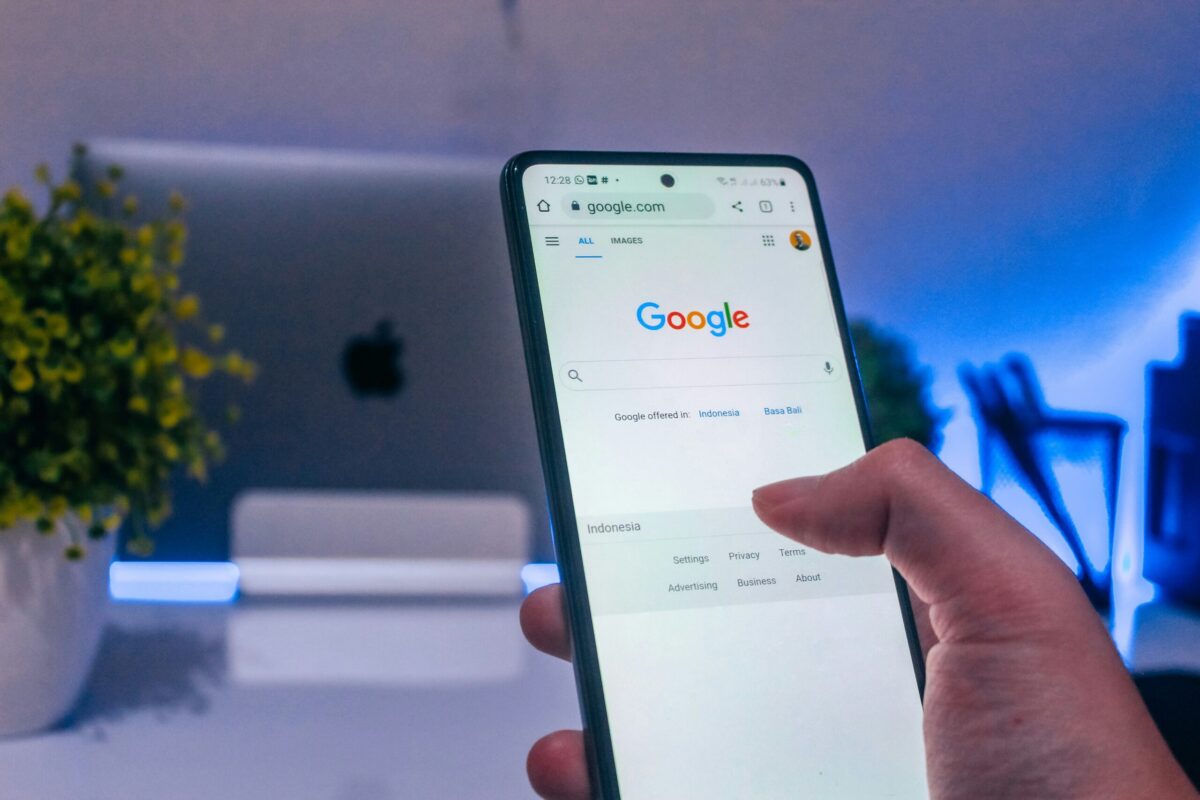
Local businesses need to leverage every available tool to connect with potential customers. One of the most effective ways to do this is through Google Local Services Ads (LSAs). These ads are designed to help local businesses reach nearby customers actively searching for their services. In this blog, we’ll explore what Google Local Services Ads are, how they work, and how you can set them up to boost your business’s visibility and attract more customers. What Are Google Local Services Ads? Google Local Services Ads are a pay-per-lead ad that helps local service providers connect with people in their area searching for their specific services. Unlike traditional Google Ads, where you pay per click, with LSAs, you only pay when a customer contacts you directly through the ad. This means you’re paying for actual leads rather than just clicks, making it a highly cost-effective advertising option for many local businesses. Local Services Ads appear at the top of Google search results, even above the traditional Google Ads and organic search results. This prime placement makes them highly visible to potential customers, increasing the likelihood of engagement. How Do Google Local Services Ads Work? When a user searches for a service that matches your business’s offerings, your Local Services Ad may appear at the top of the search results. These ads display essential information about your business, including: Your Business Name Your Google Reviews and Ratings Your Location and Service Area Operating Hours A Direct Contact Button (Call or Message) LSAs are particularly powerful because they are based on trust and credibility. Businesses that use Local Services Ads are Google Guaranteed or Google Screened, meaning they’ve gone through a background check and verification process by Google. This badge of trust can significantly increase the likelihood of a customer choosing your business over competitors. Benefits of Google Local Services Ads Before diving into the setup process, let’s explore some of the key benefits of using LSAs: Prime Placement: LSAs appear at the top of search results, giving your business maximum visibility. Pay-Per-Lead Model: You only pay when a potential customer contacts you through the ad, making it a cost-effective option. Google Guarantee: The Google Guarantee badge adds a layer of trust, which can boost customer confidence and lead to more conversions. Easy Management: LSAs are easy to set up and manage, with user-friendly tools and straightforward reporting. Higher Quality Leads: Because customers who click on LSAs are actively searching for specific services, the leads you receive are often of higher quality and more likely to convert. How to Set Up Google Local Services Ads Setting up Google Local Services Ads is a relatively simple process. Follow these steps to get started: Step 1: Check Your Eligibility Before you begin, you need to determine if your business is eligible to use Local Services Ads. LSAs are currently available for specific industries, such as: Home Services (e.g., plumbers, electricians, HVAC) Legal Services (e.g., lawyers, estate planning) Real Estate Services (e.g., realtors, property management) Healthcare Services (e.g., dentists, chiropractors) Visit Google’s Local Services Ads page to determine eligibility for your industry and location. Step 2: Sign Up and Create Your Profile Once you’ve confirmed your eligibility, you can sign up for Local Services Ads through the Google Local Services website. You’ll need to create a business profile that includes: Your Business Name Address Service Area Operating Hours Phone Number License Information (if applicable) Ensure all information is accurate and up-to-date, which will be used to verify your business during the screening process. Step 3: Complete the Background Check and Verification Process To participate in Local Services Ads, your business must pass Google’s background check and verification process. This step includes: Identity Verification: Confirming the identities of the business owner and key employees. License and Insurance Verification: Ensuring your business has the necessary licenses and insurance for your services. Google Guarantee or Google Screened Badge: Depending on your industry, your business may be eligible for a Google Guarantee or Google Screened badge, which provides customers with added confidence in your services. This process can take some time, so promptly provide all requested information. Step 4: Set Your Budget With LSAs, you’ll set a weekly budget based on how many leads you want to receive. Google will estimate the number of leads you can expect based on your budget and competition in your area. Remember, you’re only charged when a customer contacts you through the ad, so this is a highly efficient way to manage your advertising spend. Step 5: Review and Launch Your Ads Before your ads go live, review all the information in your profile to ensure accuracy. Once everything is set, you can launch your Local Services Ads, and they will begin appearing in relevant search results. Step 6: Manage and Optimize Your Ads After your ads are live, you can manage them through the Google Local Services dashboard. Here, you can: Review Leads: See a list of all the leads generated by your ads and take action on them. Pause or Adjust Your Ads: If you need to pause your ads or adjust your budget, you can do so easily through the dashboard. Track Performance: Monitor key metrics, such as the number of leads, cost per lead, and customer reviews, to optimize your ads for better results. Google Local Services Ads offer a powerful way for local businesses to connect with customers in their area who are actively searching for their services. By setting up LSAs, you can benefit from prime placement in search results, a pay-per-lead pricing model, and the trust with the Google Guarantee. With a straightforward setup process and easy management tools, Local Services Ads are an excellent addition to any local business’s marketing strategy. If you want to boost your visibility and attract more high-quality leads, Google Local Services Ads are worth exploring.
Crafting Value-Driven Content: Optimizing City and Area Service Pages

Creating value and engaging content across multiple city and area service pages is more than just a strategy—it’s an opportunity to connect meaningfully with diverse local communities. Whether your clients are local businesses in Charleston, Myrtle Beach, or Hilton Head, tailoring your content to reflect each area’s unique characteristics and needs is crucial for boosting visibility, enhancing engagement, and driving conversions. 1. Understand the Coastal Community Dynamics The coastal regions of South Carolina are rich in culture, history, and natural beauty, attracting residents and visitors alike. To create content that resonates with each community, it’s essential to understand the local dynamics: Tourism Influence: Cities like Charleston and Myrtle Beach thrive on tourism. Highlight how your services can help businesses tap into the seasonal influx of visitors. Local Economy: Focus on the predominant industries in each area, such as hospitality, real estate, or maritime services, and tailor your content to address the specific needs of these sectors. Cultural Nuances: Each city along the coast has its unique vibe. Incorporate local landmarks, events, and cultural references to make your content more relatable. 2. Avoid the Trap of Duplicate Content One of the biggest challenges when managing multiple city and area service pages is avoiding duplicate content. Search engines prioritize unique, relevant content, making it crucial to differentiate each page while maintaining consistent messaging: Localized Service Descriptions: While the core offerings may remain the same, customize your service descriptions to highlight how they cater to the specific needs of businesses in each city or area. Incorporate Local Flavors: Mention local attractions, historical sites, or popular activities specific to the region, making your content more engaging and relevant. Use Local Testimonials: Showcase reviews and testimonials from clients in each city, reinforcing your agency’s credibility and success in that particular area. 3. Optimize for Local SEO Optimizing your city and area service pages for local SEO is key to ensuring your content reaches the right audience. Here’s how to do it effectively: City-Specific Keywords: Integrate city-specific keywords naturally into your content. For example, “digital marketing services in Charleston” or “SEO experts in Myrtle Beach.” NAP Consistency: Ensure that your business’s Name, Address, and Phone number (NAP) are consistent across all pages and online listings. Local Listings: Claim and optimize Google My Business listings for each location, making sure they reflect accurate information and encourage customer reviews. 4. Craft Localized Calls-to-Action (CTAs) A well-placed call-to-action (CTA) can make all the difference in converting site visitors into clients. When crafting CTAs for your coastal South Carolina service pages, ensure they are specific to the local audience: Example CTA for Charleston: “Elevate Your Charleston Business with Our Tailored Marketing Solutions.” Example CTA for Hilton Head: “Maximize Your Hilton Head Brand’s Impact—Get Started with Our Expert Services Today.” By making your CTAs location-specific, you can strengthen your connection with potential clients and increase the likelihood of conversion. 5. Showcase Local Success Stories Nothing builds trust like proven results. Highlighting success stories from businesses within specific coastal cities not only demonstrates your expertise but also reassures potential clients that you understand the local market: Client Case Studies: Detail local businesses’ challenges and how your agency’s strategies led to their success. Quantifiable Results: Share metrics that illustrate the impact of your services, such as increased website traffic, improved search rankings, or higher conversion rates. 6. Leverage Visual Content to Enhance Engagement Visual content is pivotal in capturing attention and making your pages more engaging. For a coastal region like South Carolina, this means incorporating visuals that resonate with both the local community and potential visitors: Local Photography: Use high-quality images that showcase the scenic beauty, landmarks, and lifestyle unique to each coastal city. Video Testimonials: Feature testimonials from satisfied clients in different locations, offering an authentic and compelling endorsement of your services. Infographics: Create infographics that highlight local trends, statistics, or the impact of your services in specific areas. 7. Regularly Update and Refresh Content The coastal South Carolina market is dynamic, with seasonal trends, economic shifts, and new opportunities constantly emerging. To keep your content fresh and relevant: Seasonal Adjustments: Tailor your content to reflect seasonal changes, such as tourism peaks or off-season opportunities. New Services: Update your pages to include new offerings or services relevant to the local market. Customer Feedback: Use insights from local clients to refine your content and better address the needs of your target audience. 8. Monitor Performance and Optimize Continuously Finally, regularly monitor the performance of your city and area service pages to ensure they are effectively reaching and engaging your target audience: Analyze Traffic: Use analytics tools to track where your visitors are coming from and which pages perform best. Adjust SEO Strategy: Based on performance data, refine your local SEO strategy to target the most effective keywords and improve rankings. Test CTAs: Experiment with different CTAs to see which drives the highest conversion rates and adjust accordingly. Creating value-driven content across multiple city and area service pages is essential for establishing a strong local presence. By understanding the unique characteristics of each community, optimizing for local SEO, and regularly updating your content, you can build a powerful digital strategy that resonates with your audience and drives tangible results. Whether helping a small business in Charleston or a growing enterprise in Myrtle Beach, a tailored, localized approach is key to your success.
Part 2: Google Algorithm Update Recovery: Your Action Plan

Did your website take a hit after a Google algorithm update? Don’t panic! While it can be frustrating, there are concrete steps you can take to recover and even improve your rankings. FAQ: How Do I Know If I Was Affected? Sudden Traffic Drop: A significant and unexplained decrease in organic traffic is often a red flag. Ranking Changes: Check your keyword rankings. If you’ve dropped for important terms, it could be due to an update. Google Search Console: This tool can provide insights into indexing issues or manual actions. Action Plan for Recovery: Analyze the Update: Understand the specific focus of the update. Was it about content quality, link spam, or something else? Review Your Content: Scrutinize your website’s content. Is it high-quality, original, and relevant to your target audience? Does it provide value? Identify Thin or Duplicate Content: Remove or improve any thin or duplicate content. Optimize On-Page SEO: Ensure your titles, meta descriptions, and headers are optimized for relevant keywords. Check Your Backlinks: Audit your backlinks for any spammy or low-quality links and disavow them if necessary. Focus on User Experience: Make sure your website is mobile-friendly, loads quickly, and is easy to navigate. Create Fresh, High-Quality Content: Publish new content regularly that is valuable and engaging to your audience. Build High-Quality Backlinks: Focus on earning links from reputable websites through outreach and content promotion. Monitor and Adapt: Keep an eye on your rankings and traffic and adjust your strategy as needed. FAQ: How Long Does Recovery Take? Recovery time varies depending on the severity of the impact and the actions you take. It can take weeks or even months to see significant improvements. Be patient and persistent in your efforts. FAQ: Should I Hire an SEO Professional? If you’re unsure where to start or feel overwhelmed, an SEO professional can help you analyze the situation, develop a recovery plan, and implement strategies to get your website back on track. Additional Tips: Stay Informed: Keep up with the latest SEO news and Google updates. Focus on Long-Term Strategies: Build a solid foundation of high-quality content and ethical SEO practices. Don’t Give Up: SEO is a marathon, not a sprint. Stay committed to your efforts, and you’ll eventually see results. By following these steps and focusing on providing value to your audience, you can successfully recover from a Google algorithm update and ensure your website thrives in the long run. Remember: Don’t chase algorithms, chase excellence!
Part 1: Google Algorithm Updates in 2024: What You Need to Know

Google’s algorithms are constantly evolving to provide the best possible search experience. In 2024, several significant updates have rolled out, impacting website rankings and SEO strategies. Here’s a recap of the major updates and their timelines: March 2024 Core Update & Spam Update Timeline: Started March 5th, completed April 26th Impact: Core Update: Focused on improving search result quality, promoting “helpful content,” and demoting low-quality, unoriginal, and unhelpful content. Spam Update: Targeted expired domain abuse and scaled content abuse. Key Takeaways: This update emphasized the importance of high-quality, original content and penalized spammy tactics. Other Notable Updates: While not official core updates, Google made several adjustments throughout the year, including: Product Reviews Update: Targeted low-quality product reviews that lack insights and original research. Page Experience Update: Prioritized websites with fast loading times, mobile responsiveness, and overall user-friendliness. Link Spam Update: Targeted manipulative link-building practices. Why Do These Updates Matter? Understanding Google’s algorithm updates is crucial for maintaining or improving your website’s ranking. These updates can significantly impact your organic traffic and online visibility. Staying Ahead of the Curve: To navigate these changes successfully: Prioritize Quality Content: Focus on creating informative, original, and engaging content that genuinely helps your audience. Build Backlinks Naturally: Earn backlinks through high-quality content and outreach, avoiding manipulative tactics. Monitor Your Site’s Performance: Regularly check your website’s rankings and traffic to identify any fluctuations that may indicate an algorithm impact. Stay Tuned for Part 2: In the next blog post, we’ll dive into actionable steps you can take to recover from any negative impacts and ensure your website thrives in the ever-changing SEO landscape.
So You Want to Be an Influencer? The Reality Behind the Dream in 2024

The allure of being an influencer is undeniable. Picture this: traveling the world, collaborating with top brands, and sharing your passions with a captivated audience. But is the influencer dream still attainable, or has the landscape changed? Let’s dive into the reality of influencer marketing and answer some burning questions. How Do I Become an Influencer? Becoming an influencer isn’t as simple as posting pretty pictures anymore. Here’s a breakdown of the steps involved: Find Your Niche: What are you passionate about? What unique perspective can you offer? Identifying your niche is crucial for attracting a loyal audience. Choose Your Platforms: Where does your target audience hang out? Focus on platforms that align with your content style (e.g., Instagram for visuals, TikTok for short videos, YouTube for longer content). Create High-Quality Content: Invest in good equipment (camera, microphone) and learn basic editing skills. Your content should be visually appealing, engaging, and informative. Be Consistent: Post regularly to keep your audience engaged. Develop a content calendar to stay organized and maintain momentum. Engage with Your Community: Respond to comments, ask questions, and create a sense of community. Building relationships is key. Network and Collaborate: Reach out to other influencers or brands for collaborations. This can help you reach new audiences and build your credibility. Track Your Analytics: Use platform analytics tools to measure your performance and identify areas for improvement. Are Influencers Even Important Anymore? Absolutely! Influencer marketing is still a powerful force in 2024. Here are some stats that prove it: Global Market Size: The influencer marketing market is projected to reach $21.1 billion by 2025. Consumer Trust: 61% of consumers trust influencer recommendations, compared to 38% who trust branded content. ROI: Influencer marketing delivers 11 times higher ROI than traditional forms of digital media. How Do I Find My Audience? Define Your Ideal Follower: Create a profile of your target audience based on demographics, interests, and pain points. Research Hashtags: Use relevant hashtags to reach people interested in your niche. Engage with Similar Accounts: Interact with the followers of accounts similar to yours. Run Contests and Giveaways: This can help you attract new followers and increase engagement. Promote Your Account: Share your content on other social media platforms or your website. What Platform Should I Use? The best platform depends on your niche and content style. Here’s a quick overview: Instagram: Great for visually appealing content, fashion, beauty, lifestyle. TikTok: Short-form video platform, popular among Gen Z. YouTube: Ideal for longer videos, tutorials, reviews, vlogs. Twitter: Text-based platform, good for sharing opinions, news, and engaging in conversations. Pinterest: Visual platform, perfect for DIY, recipes, fashion inspiration. Do Influencers Make Money? How? Yes, influencers can make a significant income, but it takes time and effort. Here are some ways influencers monetize their platforms: Sponsored Posts: Brands pay influencers to create content featuring their products or services. Affiliate Marketing: Influencers earn a commission for promoting products and driving sales through unique affiliate links. Selling Products or Services: Many influencers create their own products or offer services like coaching or consulting. Brand Ambassadorships: Influencers partner with brands for long-term collaborations and receive compensation for promoting the brand consistently. Ad Revenue: Platforms like YouTube share ad revenue with creators based on views and engagement. The Reality Check: While the influencer lifestyle may seem glamorous, it’s important to be realistic: It’s Hard Work: Building a successful influencer career requires dedication, creativity, and resilience. Competition is Fierce: The influencer market is saturated, so standing out is crucial. Not Everyone Makes it Big: Many influencers struggle to earn a sustainable income. The Bottom Line: If you’re passionate about a topic and willing to put in the work, becoming an influencer can be a rewarding career. Focus on building genuine connections with your audience, creating valuable content, and staying true to your brand. Success won’t happen overnight, but with persistence and the right strategies, you can turn your passion into a thriving online presence.
Steal THIS: Marketing Plan for ABC Personal Injury Law Firm

Tired of watching potential clients slip through your fingers? Struggling to make your personal injury law firm stand out from the competition? Look no further. This comprehensive marketing blueprint, meticulously crafted for ABC Personal Injury Law Firm, offers a proven roadmap to success. It’s packed with actionable strategies, targeted tactics, and real-world budget allocations designed to attract and convert high-value clients. Why reinvent the wheel when you can simply borrow from the best? Feel free to adapt this plan to your firm’s unique needs and watch your caseload (and revenue) soar. Executive Summary ABC Personal Injury Law Firm aims to become the leading choice for accident victims in [Your City/Region] by providing compassionate, results-driven legal representation. Our marketing plan focuses on building trust, establishing expertise, and generating high-quality leads through a multi-channel approach. Mission Statement To advocate for the injured, secure maximum compensation, and guide clients through the legal process with empathy and expertise. Marketing Objectives Increase website traffic by 25% within six months. Generate 10 new qualified leads per month through online channels. Achieve a 5-star average rating on Google My Business within one year. Increase brand awareness by 15% within the target market. Target Audience Primary: Accident victims in [Your City/Region] aged 25-65 who have suffered moderate to severe injuries. Secondary: Family members and friends of accident victims who may seek legal advice on their behalf. Marketing Strategies Website Optimization: Enhance SEO for local search terms (e.g., “personal injury lawyer [Your City]”). Publish informative blog posts and articles on relevant topics. Create dedicated landing pages for specific practice areas. Optimize website for mobile users. Content Marketing: Create a series of informative videos on accident types, legal rights, and the claims process. Share client testimonials and success stories on social media. Develop an e-book or guide on navigating personal injury claims. Social Media Marketing: Maintain active profiles on Facebook, Twitter, LinkedIn, and Instagram. Share engaging content, including case updates, legal tips, and community involvement. Run targeted ad campaigns to reach potential clients. Pay-Per-Click (PPC) Advertising: Run Google Ads campaigns targeting relevant keywords and phrases. Experiment with different ad formats and landing pages to optimize conversions. Local SEO: Claim and optimize Google My Business listing. Encourage positive reviews on Google, Yelp, and other relevant platforms. Get listed in local directories and legal directories. Networking and Partnerships: Build relationships with local medical professionals, chiropractors, and physical therapists. Participate in community events and sponsorships. Attend legal conferences and networking events. Public Relations (PR): Submit press releases for notable case wins or firm achievements. Seek opportunities for interviews and speaking engagements. Traditional Marketing: Consider targeted direct mail campaigns or print advertising in local publications if budget allows. Budget Website Optimization: $500/month Content Creation: $1,000/month Social Media Ads: $1,500/month Google Ads: $2,000/month PR and Outreach: $500/month Timeline Month 1-3: Focus on website optimization, content creation, and establishing social media presence. Month 4-6: Launch PPC campaigns and begin local SEO efforts. Month 7-12: Continue content marketing, social media engagement, and explore PR opportunities. Evaluation Track website traffic and conversions through Google Analytics. Monitor social media engagement and reach. Assess lead quality and conversion rates from different channels. Conduct regular client surveys to gather feedback on service satisfaction. Contingency Plan If certain strategies are not yielding the desired results, we will re-evaluate and adjust our approach. This may include reallocating budget, exploring new platforms, or refining our messaging. Conclusion This marketing plan serves as a comprehensive guide for ABC Personal Injury Law Firm to achieve its growth objectives. By implementing these strategies and closely monitoring results, we are confident in our ability to establish ourselves as a trusted and sought-after legal resource in the community.
Wellness Marketing 101: Essential Strategies for Launching Your Practice

Congratulations on embarking on your journey as a wellness entrepreneur! As you set out to share your expertise in coaching, therapy, or other wellness services, marketing becomes your bridge to connecting with potential clients and building a thriving practice. While the world of marketing might seem daunting, fear not! We’ve created this Wellness Marketing 101 guide to equip you with essential strategies and actionable tips to kickstart your marketing efforts. Define Your Brand Identity: Mission and Values: What is the core purpose of your wellness business? What values drive your practice? Target Audience: Who are your ideal clients? What are their needs, challenges, and aspirations? Unique Selling Proposition (USP): What sets you apart from other wellness providers? What unique expertise or approach do you offer? Once you’ve defined your brand, create a clear and concise brand message that resonates with your target audience. Build Your Online Presence: Website: Your website is your digital home. Invest in a professional, user-friendly website that showcases your services, expertise, and testimonials. Search Engine Optimization (SEO): Optimize your website with relevant keywords to improve your visibility in search engine results. Google Business Profile: Claim and optimize your Google Business Profile (formerly Google My Business) to appear in local search results and Google Maps. Social Media Profiles: Choose the platforms that best align with your audience and create engaging content that educates, inspires, and builds trust. Content Marketing: Blog: Share valuable content related to your wellness niche. Offer tips, insights, and educational resources to establish yourself as an expert. Social Media Content: Create engaging posts, stories, and videos that resonate with your audience. Share client success stories, behind-the-scenes glimpses, and inspirational quotes. Email Marketing: Build an email list and send out regular newsletters with helpful content, special offers, and updates on your services. Networking and Partnerships: Attend Industry Events: Network with other wellness professionals, potential clients, and referral partners. Collaborate with Other Businesses: Partner with complementary businesses for cross-promotion and joint ventures. Build Relationships with Local Media: Offer to contribute articles, be interviewed, or provide expert commentary on wellness topics. Paid Advertising (Optional): If you have the budget, consider paid advertising options like: Social Media Ads: Target specific demographics and interests with Facebook, Instagram, or LinkedIn ads. Google Ads: Appear at the top of search results for relevant keywords. Local Advertising: Explore options like flyers, local magazines, or community bulletin boards. FAQs: Your Most Pressing Marketing Questions Q: I’m just starting out. Where should I focus my marketing efforts? A: Focus on building your website, creating engaging content, and networking with potential clients and referral partners. Q: How do I get my first clients? A: Offer free consultations, introductory packages, or workshops to attract initial clients. Ask for referrals from friends, family, and colleagues. Q: What kind of content should I create? A: Focus on educational, inspirational, and actionable content that provides value to your audience. Share client success stories, tips for a healthy lifestyle, or answers to common questions. Q: How often should I post on social media? A: Aim for consistent posting, but quality is more important than quantity. Experiment with different posting frequencies and times to see what works best for your audience. Q: Should I invest in paid advertising? A: It depends on your budget and goals. Paid advertising can be effective, but it’s not always necessary, especially when you’re starting. Remember: Marketing is an ongoing process. It requires patience, persistence, and a willingness to adapt your strategies as your business grows. By implementing these essential marketing tactics and staying true to your brand’s unique identity, you’ll be well on your way to attracting a loyal clientele and building a successful wellness practice. Good luck on your journey!
Your Small Business Marketing Blueprint: Crafting a Winning Strategy
Marketing isn’t just for big corporations; it’s the lifeblood of every successful small business. A well-crafted marketing plan is your roadmap to reaching new customers, building brand awareness, and ultimately growing your revenue. But where do you start? This guide will walk you through the essential steps to create a marketing plan tailored to your small business needs. Assess Your Current Situation Before you chart your course, take a moment to evaluate your current marketing landscape. Ask yourself: What are my strengths and weaknesses? What marketing efforts have worked well in the past? What challenges am I facing? What resources (budget, time, skills) do I have available? Who are my competitors, and what are they doing? This honest self-assessment will provide a solid foundation for your plan. Define Your Target Audience Who are you trying to reach? Understanding your ideal customer is fundamental to effective marketing. Create detailed buyer personas that include: Demographics (age, gender, location) Interests and behaviors Pain points and challenges How they consume information (online, social media, etc.) The more you know about your target audience, the better you can tailor your messaging and choose the right channels to reach them. Set SMART Goals Your marketing goals should be SMART: Specific: Clearly define what you want to achieve. (e.g., Increase website traffic by 20%) Measurable: Track progress with quantifiable metrics. (e.g., Number of new leads generated) Achievable: Set realistic goals based on your resources. Relevant: Align goals with your overall business objectives. Time-bound: Set deadlines to create a sense of urgency. For example, instead of a vague goal like “get more customers,” aim for “increase website traffic by 20% in the next quarter.” Develop Your Marketing Strategies This is where you outline the tactics you’ll use to achieve your goals. Consider a mix of: Online Marketing: Search Engine Optimization (SEO): Improve your website’s visibility in search engine results. Pay-Per-Click (PPC) Advertising: Run targeted ads on Google or social media. Content Marketing: Create valuable blog posts, articles, or videos to attract and engage your audience. Social Media Marketing: Build a presence on platforms where your customers are active. Email Marketing: Nurture leads and stay connected with existing customers. Offline Marketing: Traditional Advertising: Consider print ads, billboards, or radio spots if they align with your audience. Public Relations (PR): Get your business featured in local media or industry publications. Direct Mail: Send targeted postcards or flyers to potential customers. Networking and Events: Attend industry events or host your own to build relationships. Create a Budget and Timeline Determine how much you can realistically invest in marketing. Allocate your budget across different strategies based on their potential ROI. Also, create a timeline for each tactic, outlining when you’ll launch campaigns and track progress. Measure and Track Results The key to continuous improvement is tracking your results. Use analytics tools to measure website traffic, social media engagement, lead generation, and sales. Regularly review your data and adjust your strategies as needed. Example Marketing Plan for a Local Bakery: Goal: Increase in-store sales by 15% in the next six months. Target Audience: Local residents who enjoy fresh, homemade baked goods. Strategies: SEO: Optimize website and Google Business Profile for local searches. Social Media: Share daily photos and promotions on Instagram and Facebook. Email Marketing: Send out a weekly newsletter with special offers and new product announcements. Local Partnerships: Partner with nearby coffee shops to offer discounts for customers who buy both coffee and pastries. Budget: $500/month for social media ads, $100/month for email marketing software. Timeline: Launch social media campaign in week 1, email campaign in week 2, and partner with coffee shops in month 3. Key Takeaways: Marketing is an investment, not an expense. Start with a clear understanding of your business and audience. Set measurable goals to track your progress. Choose strategies that align with your budget and resources. Don’t be afraid to experiment and try new things. Track your results and make adjustments as needed. With a well-thought-out marketing plan, you can effectively reach your target audience, build brand awareness, and ultimately achieve your business goals. Remember, marketing is an ongoing process, so be prepared to adapt and evolve your strategies as your business grows.