
The SC Business Owner’s Complete Online Marketing Setup Checklist (Start Here)

If you are starting your online marketing from scratch or doing a complete reset, this is the checklist to start with. It covers every platform, tool, and strategy you need to establish a strong online presence for your SC business, organized in the order you should set them up. Section 1: Business Foundation (3 to 4 Hours) Google Account and Properties Google account is created specifically for your business Google Business Profile is claimed and verified Google Search Console is set up and your website is verified Google Analytics 4 is installed on your website Website Basics Website is live with a professional domain (yourcompany.com) SSL certificate is active (https://) Website loads in under 3 seconds on mobile Website is mobile-responsive Contact information is in the header and footer Phone number is clickable on mobile Section 2: Local Presence (4 to 6 Hours) Google Business Profile is fully optimized (see GBP Checklist) Yelp business listing is claimed and complete Facebook Business Page is created and complete Apple Maps listing is claimed and complete Bing Places listing is claimed and complete At least 20 additional directory citations are built with consistent NAP Section 3: Website SEO (3 to 4 Hours) Rank Math Pro or Yoast SEO is installed Title tags are optimized for every page Meta descriptions are written for every page H1 headings include primary keyword and city on every page Alt text is added to every image Sitemap is submitted to Google Search Console LocalBusiness schema is implemented on the homepage Service schema is implemented on each service page Section 4: Social Media (2 to 3 Hours) Facebook Business Page is complete with cover photo, profile photo, and about section Instagram Business Account is created and linked to Facebook First 3 posts are published on each platform Content calendar is created for the next 30 days Posting schedule is set (minimum 3 times per week) Section 5: Review Generation (1 to 2 Hours) Direct Google review link is saved Review request process is documented Automated review request system is set up (text-based, within 24 hours of job completion) Goal is set: minimum 5 new reviews per month Section 6: Content Strategy (2 to 3 Hours) Blog is set up on your website First blog post is published Content calendar is created for the next 90 days FAQ sections are added to the homepage and all service pages FAQPage schema is implemented on all FAQ sections Section 7: AI Search Readiness (1 to 2 Hours) LocalBusiness schema includes complete service area (all SC cities served) FAQ content covers the questions AI engines are asked about your service category Business is tested in ChatGPT, Perplexity, and Google AI Overviews AI search visibility baseline is documented for future comparison Ongoing Maintenance (30 to 45 Minutes Per Week) One GBP post published per week All new reviews responded to within 48 hours Three social media posts published per week One new blog post published per month Google Search Console checked for new errors weekly This checklist represents approximately 20 to 30 hours of setup work. If you would rather have Flyt Creative handle the entire setup for you, contact us for a free consultation. We can complete the full setup in a fraction of the time and ensure everything is done correctly from the start. Frequently Asked Questions How long does it take to complete the full online marketing setup for an SC business? The complete setup takes approximately 20 to 30 hours spread over 30 to 60 days. The Ongoing Maintenance section requires 30 to 45 minutes per week after setup is complete. What is the most important first step for online marketing for a new SC business? Claim and verify your Google Business Profile first. It is free, takes less than 30 minutes to set up, and is the single highest-impact action for local search visibility. After your GBP is live and optimized, move to website SEO, then citation building, then review generation.
DIY AI Search Visibility Checklist: Is Your SC Business Ready for ChatGPT?

AI search tools like ChatGPT, Perplexity, and Google AI Overviews are now used by nearly half of all consumers to find local businesses. This checklist helps you assess your current AI search visibility and take the specific steps required to get your SC business recommended in AI-generated answers. How to Test Your Current AI Search Visibility Before working through the checklist, test your current visibility by asking these questions in ChatGPT (with browsing enabled), Perplexity, and Google: “What is the best [your service] in [your city] SC?” “Who are the top [your service category] companies in [your city] South Carolina?” “I need a [your service] in [your city] SC. Who do you recommend?” Note which businesses appear in the answers. If your business does not appear, the checklist below will help you understand why and what to do about it. Section 1: Entity Verification (The Foundation) AI engines recommend businesses they can verify as legitimate and accurately described. Entity verification means building a consistent, corroborating web of information about your business across multiple independent sources. Google Business Profile is claimed, verified, and fully optimized Business name, address, and phone number are identical on Google, Yelp, Facebook, and Apple Maps Business is listed on at least 25 platforms with consistent NAP Business is listed on at least 50 platforms with consistent NAP (the AI search threshold) Business is listed in your local SC chamber of commerce directory Business has been mentioned in at least one local SC news article or publication Section 2: Schema Markup (The Direct AI Communication Channel) LocalBusiness schema is implemented on your homepage LocalBusiness schema includes: name, address, phone, hours, service area, services, price range Service schema is implemented on each service page FAQPage schema is implemented on your homepage FAQ section FAQPage schema is implemented on each service page FAQ section Schema is validated with no errors at search.google.com/test/rich-results Priority: Schema markup is the single highest-impact AI search optimization action. If you complete nothing else on this checklist, complete this section. Section 3: FAQ Content (The AI Answer Source) Homepage has a FAQ section with at least 5 questions and answers Each service page has a FAQ section with at least 5 questions and answers FAQ questions are written in natural, conversational language FAQ answers are 2 to 4 sentences, direct, and complete FAQ questions include your city and service type where natural FAQ questions cover: pricing, timeline, what to expect, service area, why choose you Section 4: Review Profile Business has at least 25 Google reviews Average Google rating is 4.5 stars or higher At least 5 reviews have been received in the last 30 days Owner responds to reviews consistently (within 48 hours) Reviews mention specific services and the city Section 5: Content Signals Website has a blog with at least 3 published posts At least one blog post targets a specific local question Blog posts are at least 800 words and provide genuinely helpful information At least one blog post has been published in the last 30 days Want Flyt Creative to implement all of this for your SC business? See our AI Search Optimization service. Frequently Asked Questions How do I test if my SC business appears in ChatGPT? Open ChatGPT with browsing enabled and ask: “What is the best [your service] in [your city] SC?” Note which businesses appear. If yours does not, start with schema markup and FAQ content as your first two fixes. What is the single most important thing I can do to get my SC business recommended by AI? Implement LocalBusiness schema markup on your homepage. This is the single most direct way to communicate your business information to AI engines in a structured, machine-readable format they can use to recommend you.
The SC Business Owner’s DIY Website SEO Audit Checklist (Step-by-Step)

You do not need an expensive agency to audit your website for SEO issues. This checklist walks you through every element of a professional website SEO audit in plain language, with specific instructions for checking each item and fixing any issues you find. Tools You Will Need (All Free) Before starting, bookmark these free tools: Google Search Console (search.google.com/search-console), Google PageSpeed Insights (pagespeed.web.dev), Google Rich Results Test (search.google.com/test/rich-results), and Screaming Frog SEO Spider free version (screamingfrog.co.uk). Section 1: Title Tags (20 Minutes) A title tag is the text that appears as the clickable headline in Google search results. It is one of the most important on-page SEO elements. Every page has a unique title tag (no two pages share the same title) Every title tag is between 50 and 60 characters Every title tag includes the primary keyword for that page The homepage title tag includes your business name, primary service, and city No title tag contains “Home,” “Page,” or other generic text How to Fix: In WordPress with Rank Math Pro, go to each page, click the Rank Math icon, and edit the SEO Title field. Use the format: Primary Keyword | City | Business Name. Section 2: Meta Descriptions (20 Minutes) Every page has a unique meta description Every meta description is between 120 and 160 characters Every meta description includes the primary keyword and a call to action Meta descriptions are written to entice clicks, not just describe the page Section 3: Heading Structure (30 Minutes) Every page has exactly one H1 heading The H1 on every page includes the primary keyword for that page The H1 on service pages includes the service name and city H2 headings are used to break up content into logical sections H2 headings include secondary keywords where natural Section 4: Image Optimization (30 Minutes) Every image has a descriptive alt text attribute Alt text describes what is in the image and includes relevant keywords where natural No alt text is blank, “image,” “photo,” or a filename like “IMG_1234.jpg” Image file names are descriptive (myrtle-beach-hvac-installation.jpg not IMG_1234.jpg) Images are compressed to under 200KB without visible quality loss (use squoosh.app) Section 5: Schema Markup (30 Minutes) LocalBusiness schema is present on the homepage (test at search.google.com/test/rich-results) Service schema is present on each service page FAQPage schema is present on pages with FAQ sections No schema errors or warnings are flagged by the Rich Results Test Section 6: Technical SEO (1 Hour) Website loads in under 3 seconds on mobile (test at pagespeed.web.dev) Website scores 70 or higher on Google PageSpeed Insights mobile score Website is fully mobile-responsive SSL certificate is active (URL starts with https://) Sitemap.xml exists and is submitted to Google Search Console No important pages return a 404 error Section 7: Content Audit (1 Hour) Homepage clearly states what you do, who you serve, and where you are located Each service has its own dedicated page with at least 500 words of original content FAQ sections are present on the homepage and all service pages Blog exists and has at least one published post Internal links connect related pages Any section scoring below 70% should be addressed immediately. Need help fixing what you find? Contact Flyt Creative for a free consultation. Frequently Asked Questions What free tools do I need to complete a DIY website SEO audit? You need four free tools: Google Search Console for indexing and keyword data, Google PageSpeed Insights for speed testing, Google Rich Results Test for schema validation, and Screaming Frog SEO Spider free version for crawling up to 500 pages. How often should I audit my SC business website for SEO? Conduct a full website SEO audit quarterly. Check Google Search Console weekly for new errors, monitor Google Analytics monthly for traffic trends, and re-test your schema markup after any website updates.
DIY Google Business Profile Optimization Checklist for SC Businesses

Your Google Business Profile is the most powerful free tool available for local SC business visibility, and most businesses are using less than half of its capabilities. This checklist covers every GBP setting, feature, and optimization in order of impact. Work through it systematically and you will have one of the most optimized GBP profiles in your SC market. Before You Start: Access Your GBP Go to business.google.com and sign in with the Google account associated with your business. If you have not claimed your GBP, search for your business name and click “Claim this business.” Verification typically takes 1 to 5 business days via postcard. Section 1: Business Information (15 Minutes) Business name matches your real business name exactly (no added keywords) Primary category is the most specific option available for your main service At least 3 secondary categories are added Business description is 750 characters, includes primary keyword and city, and ends with a soft CTA Website URL is correct and goes to your homepage Phone number is a local SC number (not toll-free) Address is correct and matches your website and all citations exactly Service area includes all SC cities you serve (add up to 20 service area cities) Business hours are complete and accurate, including holiday hours Pro Tip: Your business description is indexed by Google and influences what searches your GBP appears for. Include your primary service keyword, your city, and your key differentiator in the first two sentences. Section 2: Photos and Videos (30 Minutes to 1 Hour) Cover photo is high-quality and represents your brand Profile photo is your logo or a professional headshot At least 3 exterior photos showing your business location or vehicle At least 3 interior photos or job site photos At least 3 team photos showing real people doing real work At least 5 project photos showing completed jobs All photos are real (not stock images) A short video (30 to 60 seconds) showing your business is uploaded New photos are added at least once per week going forward Pro Tip: GBP listings with more than 100 photos receive 520% more calls than those with fewer than 10 photos. Make photo uploads a weekly habit. Section 3: Services and Products (30 Minutes) All primary services are listed with names and descriptions Each service description includes the service name, what it includes, and your city Prices or price ranges are added where applicable Service descriptions include relevant keywords naturally Section 4: GBP Posts (Ongoing Weekly Habit) First GBP post is published (describe a recent project with a photo) Post includes a call to action (Call Now, Book Online, Learn More) Post includes a link to your website or contact page Weekly posting is scheduled as a recurring calendar reminder Post Template for SC Service Businesses: “We just completed a [service type] for a [city] customer. [Brief description of the project and result]. If you are looking for [service type] in [city], we would love to help. [Call to action + link].” Section 5: Reviews (Ongoing) Direct review link is copied from GBP dashboard All existing reviews have been responded to within 48 hours A system is in place to ask every customer for a review within 24 hours of job completion Review goal is set: minimum 5 new reviews per month Section 6: Questions and Answers (30 Minutes) All existing questions in the Q&A section have been answered 5 to 10 frequently asked questions have been added (you can ask and answer your own) Questions cover pricing, service area, hours, what to expect, and how to book Want Flyt Creative to manage your entire GBP for maximum results? See our Local SEO service. Frequently Asked Questions How do I access my Google Business Profile to make these optimizations? Go to business.google.com and sign in with the Google account associated with your business. If you have not claimed your GBP, search for your business name and click “Claim this business.” Verification typically takes 1 to 5 business days via postcard. How do I get the direct Google review link for my SC business? In your Google Business Profile dashboard, click “Get more reviews” or “Share review form.” This gives you a direct link that takes customers straight to your review form. Include this link in all your review request messages.
The Ultimate DIY Local SEO Checklist for SC Small Businesses (Free)

This checklist is designed for SC small business owners who want to improve their local search visibility without hiring an agency. It covers every element of local SEO in order of impact, from the quick wins you can complete today to the ongoing habits that compound over time. Work through it systematically and check off each item as you complete it. How to Use This Checklist Work through the checklist in order. The items are organized by priority, with the highest-impact actions first. Do not skip ahead to later sections before completing the earlier ones. A business with a fully optimized Google Business Profile and consistent citations will outrank a business with a technically perfect website but an unclaimed GBP. Estimate 2 to 4 hours to complete the Quick Wins section, 4 to 8 hours for the Foundation section, and ongoing weekly time for the Maintenance section. Section 1: Quick Wins (Complete These First) Google Business Profile Basics Claim and verify your Google Business Profile at business.google.com Confirm your business name matches your real business name exactly (no keyword stuffing) Confirm your address is correct and matches your website Confirm your phone number is correct and matches your website Select the most specific primary category for your business Add at least 3 secondary categories Write a keyword-rich business description (750 characters) that includes your city and primary service Add your website URL, business hours, and enable messaging Website Quick Fixes Check that your phone number is in the top navigation and is clickable on mobile Add your city and state to your homepage title tag Add your city and state to your homepage meta description Confirm your H1 heading includes your primary service and location Add your full address to your website footer in text format Check that your website loads on mobile without horizontal scrolling Section 2: Foundation (Complete Within 30 Days) Google Business Profile Full Optimization Upload at least 10 photos (exterior, interior, team, work in progress, completed projects) Add all your services with descriptions and prices where applicable Add your service area (list specific SC cities you serve) Create your first GBP post and set up weekly posting as a recurring calendar reminder Citation Building Claim your Yelp, Facebook, Apple Maps, Bing Places, and Foursquare listings Ensure NAP is identical across all platforms Build 20 additional citations on general directories Build 10 citations on industry-specific directories Audit all citations for NAP consistency and fix any inconsistencies On-Page SEO Write unique title tags for every page (50-60 characters, include primary keyword and city) Write unique meta descriptions for every page (120-160 characters, include CTA) Add descriptive alt text to every image on your website Create a dedicated page for each service you offer Set up Google Search Console and submit your sitemap Schema Markup (Using Rank Math Pro) Add LocalBusiness schema to your homepage Add Service schema to each service page Add FAQPage schema to your homepage and service page FAQ sections Test all schema using Google Rich Results Test Section 3: AI Search Optimization (Complete Within 60 Days) Verify your LocalBusiness schema includes your complete service area (list SC cities) Add FAQ sections to every service page (minimum 5 questions per page) Write FAQ answers in conversational language that directly answers the question Ensure your business is listed on at least 50 platforms with consistent NAP Publish your first blog post targeting a specific local question Check if your business appears in ChatGPT by asking “best [your service] in [your city] SC” Section 4: Ongoing Maintenance (Weekly and Monthly Habits) Weekly (30 minutes): Publish one GBP post, respond to new reviews, post 3 times on social media, check Google Search Console for new issues. Monthly (2 to 3 hours): Publish one new blog post, review Google Analytics for traffic trends, audit top 3 competitors, send review request campaign to recent customers. Need help implementing this checklist faster? Flyt Creative can implement everything on this list and more in a fraction of the time. Frequently Asked Questions How long does it take to complete the DIY local SEO checklist? The Quick Wins section takes 2 to 4 hours. The Foundation section takes 4 to 8 hours. Total time to complete the full checklist is approximately 20 to 30 hours spread over 4 to 8 weeks. The Ongoing Maintenance section requires 30 to 45 minutes per week. Do I need any paid tools to complete this DIY local SEO checklist? No. All tools referenced have free versions: Google Search Console, Google Analytics 4, Google PageSpeed Insights, Google Rich Results Test, and Google Business Profile are all free. Rank Math Pro is recommended for schema markup but the free version covers the basics.
How Top Marketing Agencies Win High-Paying Clients: What SC Businesses Can Learn

The difference between a marketing agency that struggles to find clients and one that consistently attracts high-paying, long-term retainer clients is not the quality of their work. It is the clarity of their positioning, the confidence of their pricing, and the intentionality of their outreach. This guide covers what the top agencies do differently and how SC businesses can apply the same principles. The Positioning Principle: Narrow to Win The agencies that command the highest retainers are not generalists. They are specialists. A marketing agency that says “we do everything for everyone” competes on price with every other agency. An agency that says “we specialize in AI search optimization for SC home service businesses” competes on expertise and commands a premium. Specialization works because high-paying clients are not looking for the cheapest option. They are looking for the most credible option. A roofing company owner who has heard about AI search and wants to capitalize on it will pay significantly more for an agency that specifically specializes in AI search for home service businesses than for a generalist agency that happens to offer AI search as one of 20 services. For Flyt Creative, the positioning opportunity is clear: SC’s AI Search and Local SEO agency. This is a specific, credible, differentiated position that no other SC agency is explicitly claiming. The Pricing Principle: Anchor High and Justify Value Most agencies underprice their services because they are afraid of losing the deal. The agencies that attract high-paying clients do the opposite: they anchor high and justify the value. A $5,000 per month retainer sounds expensive until you frame it against the alternative: a business generating $50,000 per month in revenue from organic search was generating $0 from that channel before the engagement. The key to confident high-ticket pricing is a clear value proposition tied to specific outcomes. “We will help you rank in the top three of Google Maps for your primary keywords within 90 days” is a specific outcome. “We will improve your online presence” is not. High-paying clients pay for specific, measurable outcomes. The Outreach Principle: Go Where the Money Is High-paying clients are not typically found through cold email blasts or social media follower growth. They are found through targeted, personalized outreach to businesses that have both the budget and the motivation to invest in marketing. The highest-value target segments for SC marketing agencies are: established home service businesses with annual revenue over $500,000; professional services firms (law, accounting, medical, dental); and multi-location retail or restaurant businesses. The most effective outreach approach is a personalized audit. Run a free visibility score for a target business, identify their top three issues, and reach out with a brief, specific message: “I ran a visibility audit on [Business Name] and found three issues that are likely costing you 20 to 30 leads per month. Would you have 15 minutes to review them?” The Retention Principle: Deliver, Report, and Expand High-paying clients stay when they see clear evidence that their investment is working. Monthly reporting is not optional. Reports should show specific metrics tied to business outcomes: calls generated, rankings improved, reviews earned, and leads attributed to your work. Clients who see clear ROI not only stay, they expand. Ready to become one of Flyt Creative’s high-growth SC clients? Contact us today for a free strategy consultation. Frequently Asked Questions What is the best way to find high-paying marketing clients in SC? Run a free visibility audit for target businesses, identify their top three issues, and reach out with a specific, value-first message. This approach demonstrates expertise and creates a natural conversation starter that leads to high-value engagements. How should a SC marketing agency price its services to attract premium clients? Anchor high and justify value with specific outcomes. High-paying clients pay for specific, measurable outcomes, not vague promises. Frame your pricing against the revenue opportunity, not the cost of your time.
Why Your SC Business Is Not Showing Up on Google (And How to Fix It Fast)

If your South Carolina business is not showing up on Google when potential customers search for your services, you are losing leads every day to competitors who have solved the same problem you are facing. The good news is that the most common reasons for poor Google visibility are well-understood and fixable. This guide covers the seven most common causes and the exact fix for each. Cause 1: Your Google Business Profile Is Incomplete or Unclaimed This is the most common cause of poor local visibility for SC businesses. If your GBP is unclaimed, incomplete, or has inaccurate information, Google will not show it prominently in local results. The fix is to claim your GBP at business.google.com, verify it via postcard or phone, and complete every field as described in our GBP optimization guide. Cause 2: Your Website Has No On-Page SEO If your website does not include your primary keywords in your title tags, meta descriptions, H1 headings, and page content, Google does not know what searches to show it for. The fix is to add keyword-optimized title tags and meta descriptions to every page, include your primary service and location in your H1, and create dedicated pages for each service you offer. Cause 3: Your NAP Is Inconsistent Across the Web If your business name, address, or phone number appears differently on different platforms, Google’s algorithm becomes uncertain about your business’s legitimacy and location. The fix is to audit all your citations, identify inconsistencies, and correct them so your NAP is identical everywhere. Cause 4: You Have No Reviews or Very Few Recent Ones Review volume and recency are significant ranking factors. A business with no reviews or only old reviews will consistently rank below competitors with active, recent review profiles. The fix is to implement the automated review request system and aim for at least 5 new reviews per month. Cause 5: Your Website Has No Schema Markup Without schema markup, Google and AI engines must infer what your business does from your website content. With schema markup, you tell them directly. The fix is to implement LocalBusiness, Service, and FAQPage schema as described in our schema markup guide. Cause 6: Your Website Is Slow or Not Mobile-Friendly Google uses page speed and mobile-friendliness as ranking factors. Test your website at PageSpeed Insights, address high-impact issues, and ensure your website is fully responsive on mobile devices. Cause 7: You Have No Content Strategy Google rewards websites that consistently publish helpful, relevant content. A website with no blog and no FAQ sections has limited opportunities to rank for the long-tail keywords that drive most local search traffic. Implement a content plan starting with the highest-priority topics for your service category. Not sure which of these issues is affecting your SC business? Get your free Visibility Score and we will tell you exactly what is holding you back. Frequently Asked Questions How long does it take for Google to show my SC business after I fix these issues? GBP updates process within 24 to 72 hours. On-page SEO changes are indexed within 1 to 2 weeks. Citation changes and new reviews can take 2 to 4 weeks to influence rankings. Schema markup changes are typically reflected within 1 to 2 weeks after Google recrawls your site. My SC business shows up on Google but not in the top 3 map pack. Why? If your business appears but not in the top 3, the issue is typically insufficient review volume, an incomplete citation profile, or a less optimized GBP compared to the businesses ranking above you. A competitive gap analysis will identify the specific gap.
The SC Business Owner’s Guide to Online Reputation Management in 2026

Your online reputation is no longer just a factor in whether customers choose you over a competitor. In 2026, it is a direct ranking signal for Google, a key input for AI search recommendations, and often the first thing a potential customer checks before calling. For SC businesses, managing your online reputation proactively is not optional. It is a core business function. What Your Online Reputation Actually Consists Of Most business owners think of their online reputation as just their Google reviews. In reality, your online reputation is the sum of everything a potential customer finds when they search for your business name: your Google reviews, your Yelp reviews, your Facebook reviews, any mentions in local news or publications, your social media presence, your website, and any third-party review sites relevant to your industry. AI search tools aggregate all of these signals when deciding whether to recommend your business. A business with 4.8 stars on Google, active social media, and positive mentions in local SC publications will consistently outperform a business with 4.8 stars on Google and nothing else. The Reputation Management Framework for SC Businesses The framework has four components: generate, monitor, respond, and leverage. Generate means actively building your review profile through systematic review requests. The most effective approach is automated text-based requests sent within 24 hours of every customer interaction. The goal is a steady stream of recent reviews, not a one-time burst. Monitor means tracking what is being said about your business across all platforms. Set up Google Alerts for your business name. Check your Google, Yelp, and Facebook reviews weekly. You cannot respond to reviews you do not know exist. Respond means engaging with every review, positive and negative, within 48 hours. Your responses are public and serve two audiences: the reviewer and every potential customer who reads your reviews. Leverage means actively using your positive reviews in your marketing. Feature your best reviews on your website. Share positive reviews on social media. Include your Google rating in your email signature. Your reviews are social proof that you have earned. Use them. Handling Negative Reviews Negative reviews are inevitable. How you handle them determines whether they help or hurt your business. The three rules for responding to negative reviews are: respond quickly (within 24 hours), respond professionally (never argue or become defensive), and take the conversation offline (offer to resolve the issue via phone or email). Want Flyt Creative to manage your reputation for your SC business? See our Reputation Management service. Frequently Asked Questions How do I respond to a negative Google review for my SC business? Respond within 24 hours. Acknowledge the concern without being defensive, apologize for the experience, and offer to resolve it offline. Never argue publicly. A professional, empathetic response often reassures potential customers more than the negative review concerns them. Can I remove a negative Google review from my SC business profile? You can flag a review for removal if it violates Google’s policies. You cannot remove legitimate negative reviews, but you can respond professionally and generate more positive reviews to improve your overall rating.
GoHighLevel for SC Small Businesses: Is It Worth It?
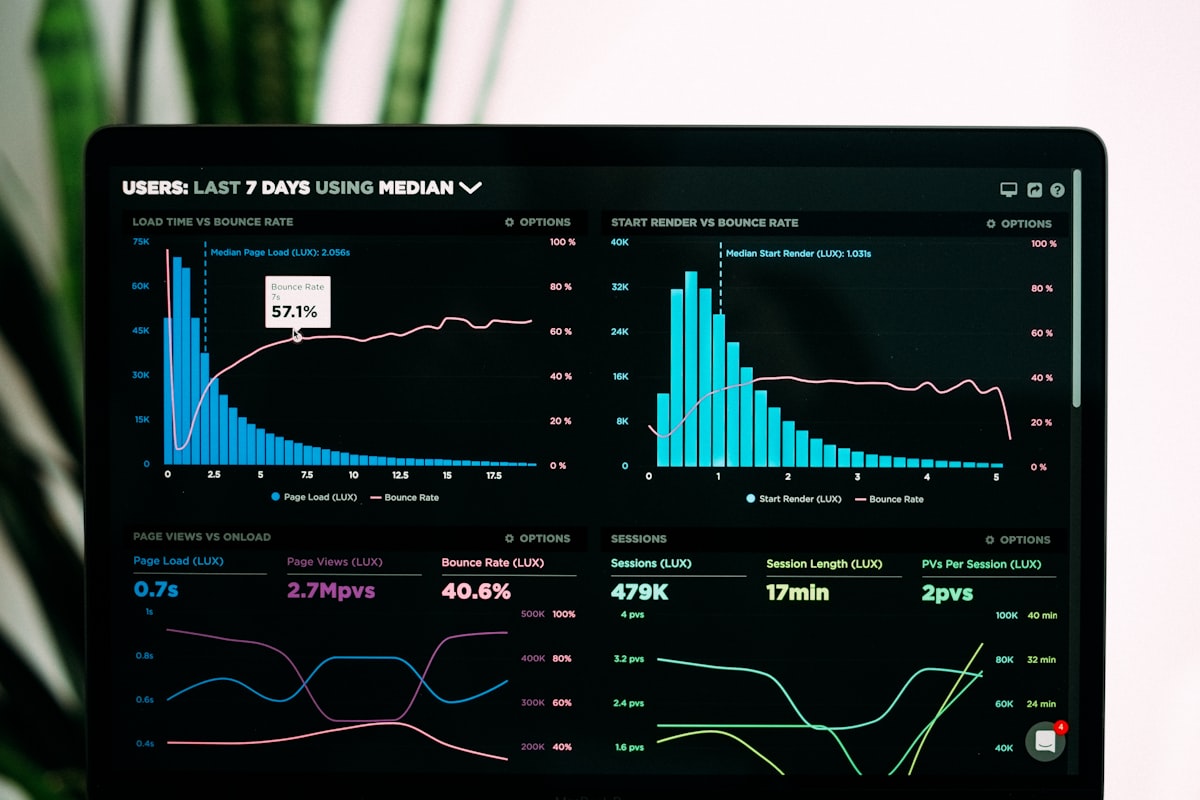
GoHighLevel (GHL) has become one of the most talked-about tools in the local marketing world, and for good reason. For the right SC business, it can replace five or six separate software subscriptions, automate the follow-up process that most businesses neglect, and significantly increase the percentage of leads that convert into paying customers. For the wrong business, it is an expensive, overwhelming platform that never gets fully set up. What GoHighLevel Actually Does GoHighLevel is an all-in-one marketing and CRM platform built specifically for marketing agencies and local businesses. Its core features include a CRM for tracking leads and customers, automated follow-up sequences via text, email, and voicemail drop, a website and funnel builder, a review request automation system, a two-way text messaging inbox, an appointment booking system, and a reporting dashboard. The most valuable feature for most SC local businesses is the automated follow-up system. Research consistently shows that 78% of customers buy from the first business that responds to their inquiry. Most SC businesses respond to leads within hours or days. GHL can respond within seconds, automatically, via text message, dramatically increasing the percentage of leads that convert. Who GoHighLevel Is Right For GoHighLevel is most valuable for SC businesses that generate a significant volume of leads and need a systematic way to follow up with and convert them. Home service businesses (HVAC, plumbing, roofing, landscaping), professional services (legal, financial, medical), and any business running paid advertising campaigns are strong candidates. It is less valuable for businesses with very low lead volume or businesses where the sales process is entirely relationship-based. How SC Businesses Are Using GHL Effectively The most common and impactful GHL use case for SC local businesses is the missed call text-back. When a potential customer calls your business and you do not answer, GHL automatically sends them a text message within 60 seconds: “Hi, we missed your call. We would love to help. What can we assist you with today?” This single automation recovers a significant percentage of leads that would otherwise be lost. The second most impactful use case is review request automation. GHL makes it easy to automatically send review requests to every customer via text, track who has left reviews, and send one follow-up to those who have not. The third use case is lead nurture sequences that keep your business top of mind until prospects are ready to buy. Flyt Creative is a GoHighLevel partner. See our services page to learn how we set up and manage GHL for SC businesses. Frequently Asked Questions How much does GoHighLevel cost for an SC small business? GoHighLevel costs $97 to $297 per month. Many SC businesses access GHL through a marketing agency like Flyt Creative, which manages the platform as part of a monthly retainer. This is often more cost-effective than managing GHL independently. What is the most valuable GoHighLevel feature for SC local businesses? The missed call text-back automation is the single most valuable GHL feature. When a potential customer calls and you do not answer, GHL automatically sends them a text within 60 seconds, recovering leads that would otherwise be lost permanently.
What Makes a Great Small Business Website in 2026: The SC Business Owner’s Guide

Most SC small business websites have the same problem: they look like a digital business card. They have a logo, a list of services, a contact page, and not much else. They do not rank on Google. They do not convert visitors into calls. They do not appear in AI search. They exist, but they do not work. A website that works is fundamentally different. It is built with a clear purpose (generating calls and leads), optimized for search engines and AI tools from the ground up, and designed to convert visitors into customers through clear messaging, trust signals, and frictionless contact options. The Five Elements of a High-Converting SC Business Website The first element is a clear, keyword-rich headline. Your homepage H1 should immediately tell visitors what you do, who you serve, and where you are located. “South Carolina’s AI Search and Local SEO Agency” is a clear H1. “Welcome to Our Website” is not. The second element is a prominent, friction-free call to action. Every page of your website should have a clear next step for the visitor. For most SC service businesses, that is a phone number in the top navigation (clickable on mobile), a “Get a Free Quote” or “Book a Call” button above the fold, and a contact form that takes less than 60 seconds to complete. The third element is trust signals. SC customers want to know that your business is legitimate, experienced, and trusted by people like them. Trust signals include Google review count and rating (displayed prominently), years in business, number of customers served, photos of your actual team and work, and any relevant certifications. The fourth element is service-specific pages. A single “Services” page that lists everything you do is significantly less effective than individual pages for each service. Individual service pages allow you to target specific keywords, provide detailed information, add service-specific FAQ sections, and implement Service schema markup. The fifth element is technical SEO readiness. A beautiful website that loads slowly, is not mobile-responsive, lacks schema markup, or has missing title tags will not rank on Google and will not appear in AI search. Technical SEO should be built into the website from the beginning. The Mobile-First Imperative More than 65% of local searches in South Carolina are performed on mobile devices. Your website must be designed mobile-first, meaning it should look and function perfectly on a smartphone before you worry about how it looks on a desktop. This means large, tappable buttons, a phone number that dials with one tap, and a contact form that works easily on a small screen. Ready for a website that actually drives calls? See Flyt Creative’s Web Design service. Frequently Asked Questions How much does a professional website cost for an SC small business? Professional websites for South Carolina small businesses typically range from $2,500 to $8,000 for a custom design with 5 to 10 pages. Flyt Creative provides a free consultation and detailed quote for every project. Should my SC business website be built on WordPress? WordPress is the most widely recommended platform for SC small business websites because it is flexible, SEO-friendly, and easy to manage after launch. With Elementor, you can update content without any coding knowledge.